Building a milk pumping tracker with AI summaries
I built and shipped a milk pumping tracker for mothers who need a simple way to record and review pumping sessions.
The app helps users track pumping time, milk amount, and pumping duration. I also added an AI summarizer using the OpenAI API, so users can review their logs more easily without manually reading every entry.
This project started from a real parenting workflow. Pumping data often needs to be recorded during busy or tiring moments, so the app needed to be fast, simple, and easy to use.
As a personal product, this case study uses real screenshots from the shipped app.
I designed, built, and shipped the app on my own as a personal product.
My responsibilities included:
- Designing the main tracking flow
- Building the app with React and Vite
- Using Firebase as the backend as a service
- Structuring the pumping session data
- Integrating the OpenAI API
- Designing the AI summary and follow-up question flow
Tracking pumping sessions sounds simple, but the real context makes it harder.
Mothers may need to record data while caring for a baby, preparing bottles, washing pump parts, or handling other tasks. A tracker that takes too many steps can quickly become frustrating.
The app needed to support two key moments:
- Fast recording when the user finishes a pumping session
- Easy review when the user wants to understand recent patterns
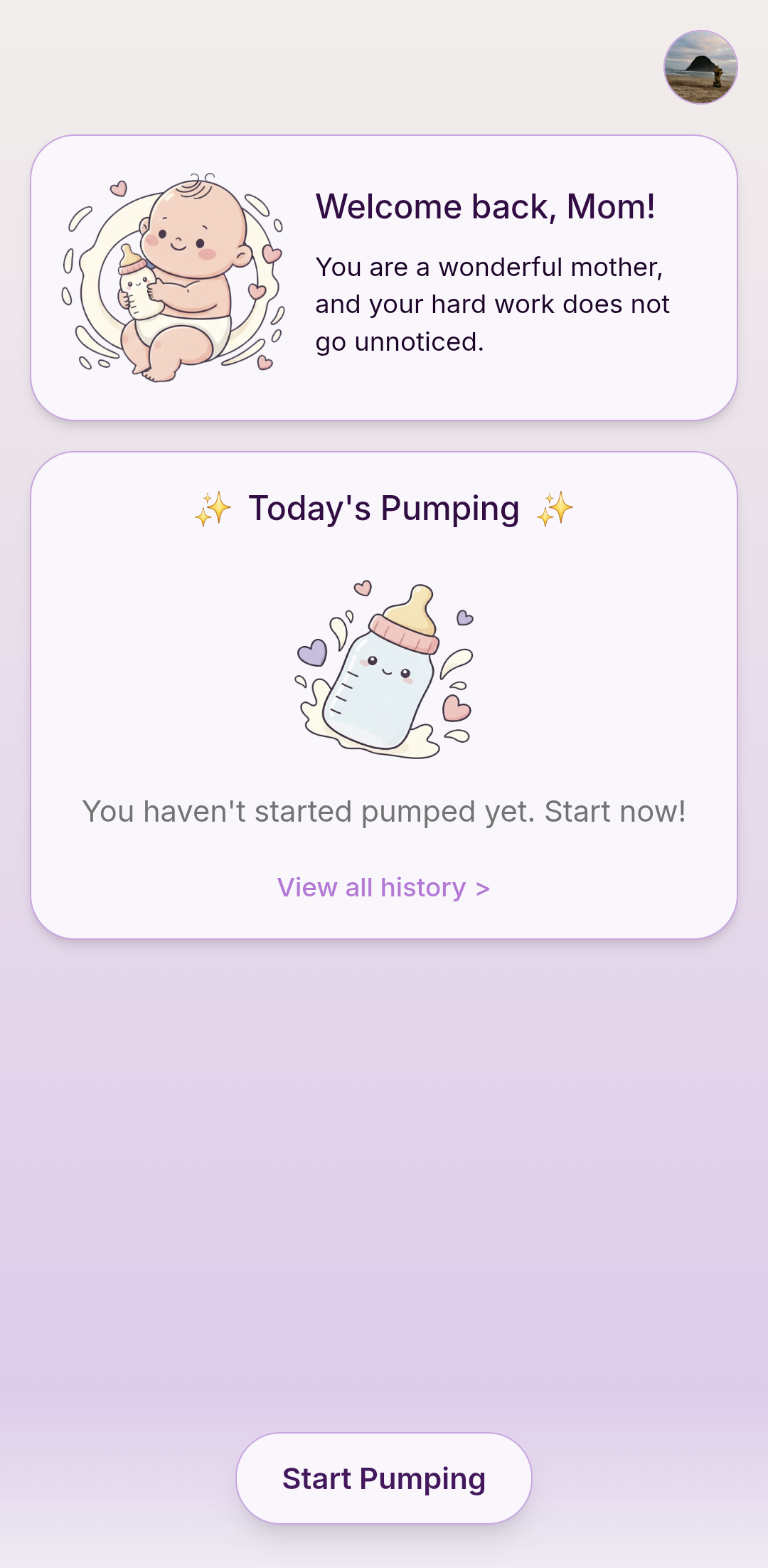
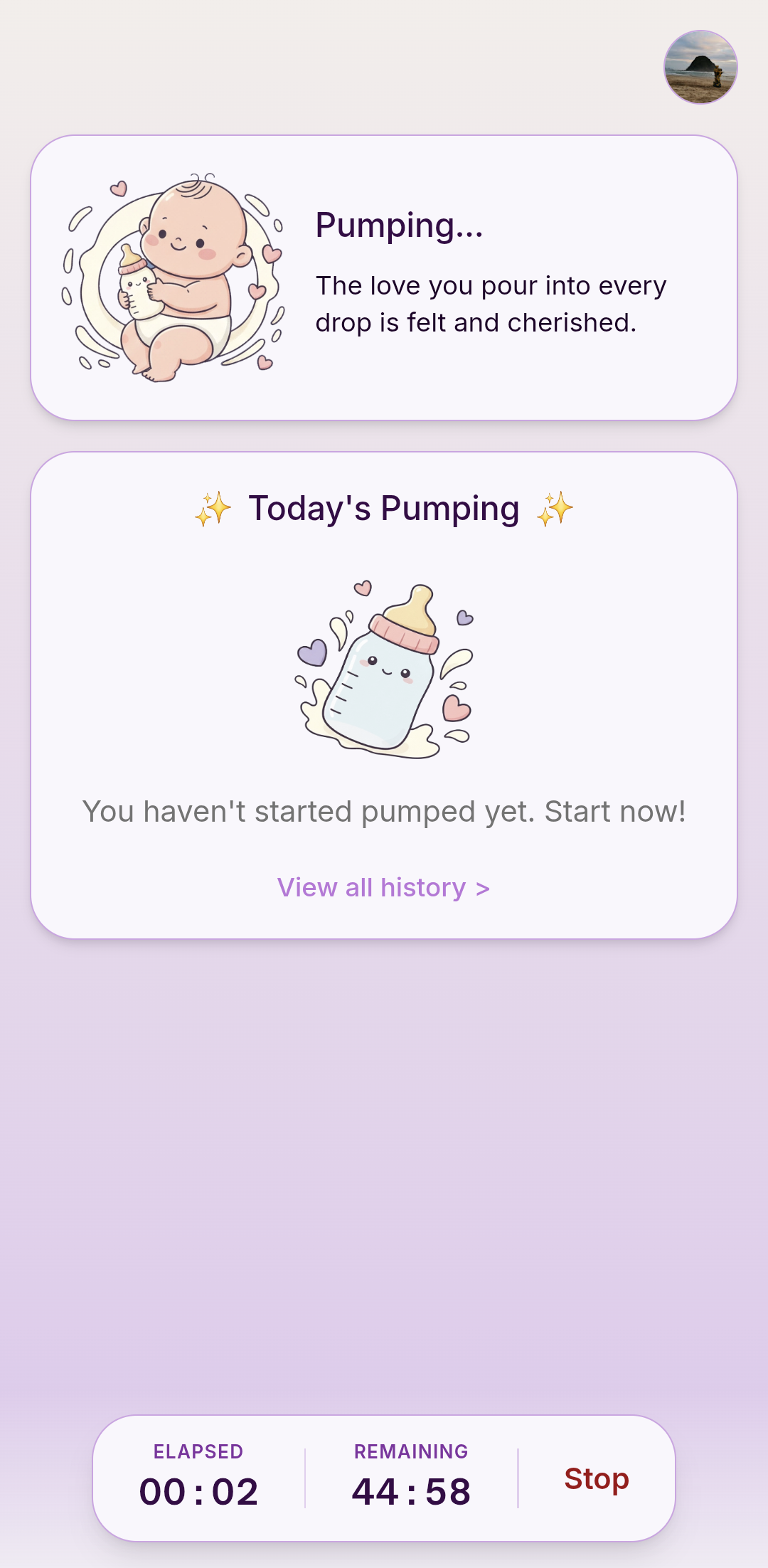
The core tracking flow focuses on three required pieces of data: pumping time, milk amount, and pumping duration. I kept the main form focused on these essentials so users can record sessions quickly, then start a live timer for the session itself.
For users who want AI summaries, the app can also use optional context:
- Baby birth date
- Feeding method
- Pumping goals
This keeps the main tracker simple while giving the AI enough context to create more useful summaries.
The visual design was inspired by Samsung's One UI design language.
One UI places interactive content in the lower half of the screen so users can reach it with one thumb. It sounds obvious, but most apps still force you to stretch to the top of a large screen just to tap something. One UI treats thumb reachability as a core design constraint, not an afterthought.
When I applied this thinking to the tracker, I noticed that the start and stop buttons were positioned near the top of the screen. Fine on paper — but the target user is a mother who may be holding a pump in one hand and navigating the app with the other. That was not a layout problem. That was an empathy problem.
Taking a page from One UI's approach, I moved those buttons to a floating position at the bottom, where the hand naturally rests. The difference is immediately noticeable — not because it looks different, but because it just feels easier to use.
I wrote more about this thinking in a LinkedIn post after shipping the change.
The AI feature uses the OpenAI API to summarize the user's pumping logs.
It can summarize recent sessions, describe visible patterns, and generate follow-up questions. Users can select one of those questions, and the app answers it based on the recorded logs and optional context.
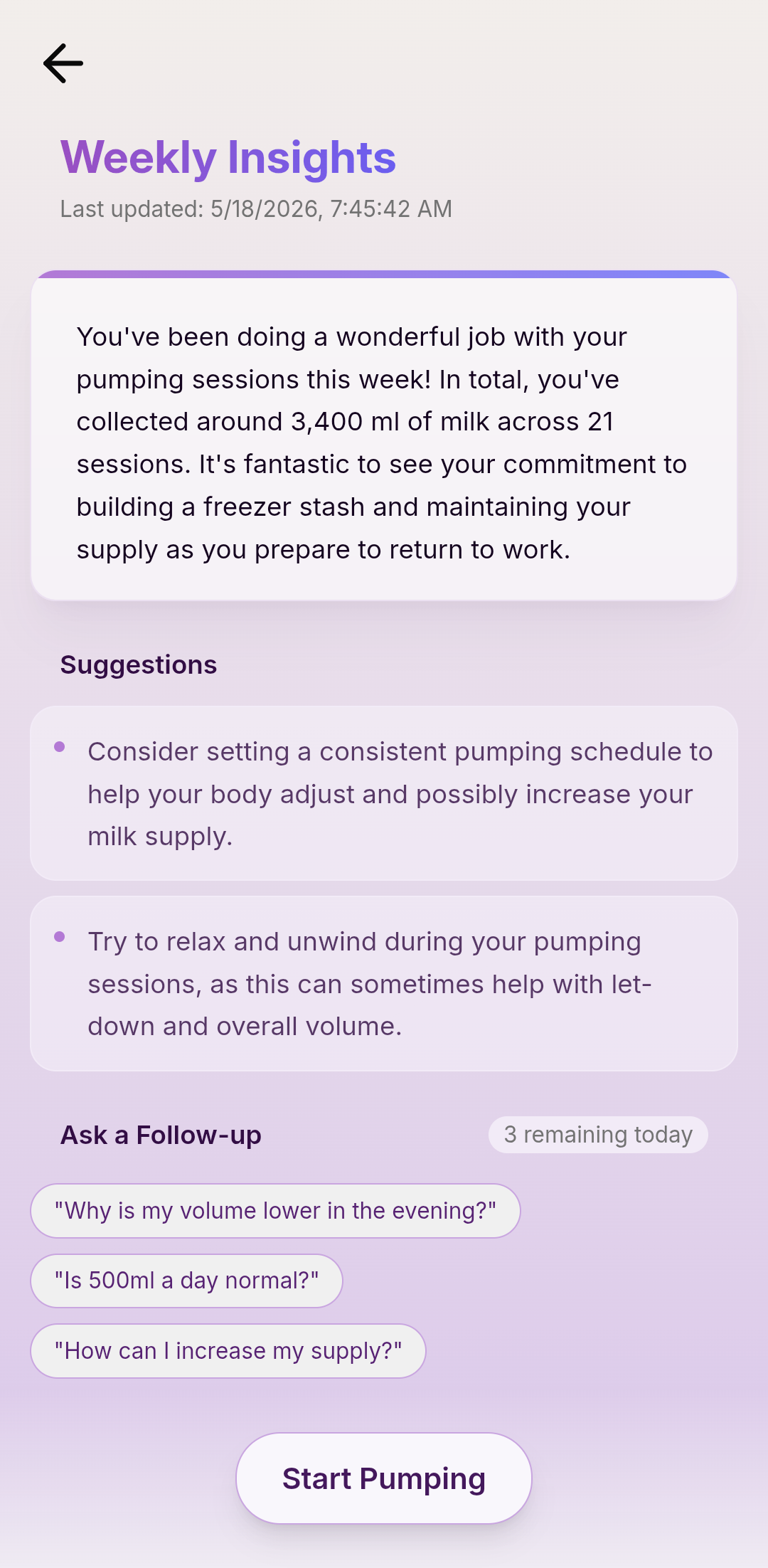
The AI feature is designed as a review layer. It helps users understand their data, while the core tracker remains useful even without AI.
The app was built with React, Vite, Firebase, and the OpenAI API.
Before sending data to the AI, the app prepares the relevant logs and optional context. This keeps the input focused and avoids passing unnecessary information to the model.
Pumping session input
  ↓
Firebase data storage
  ↓
Session history
  ↓
Prepared AI context
  ↓
OpenAI API
  ↓
Summary and follow-up questions
The project resulted in a shipped product that combines simple tracking with AI-assisted review.
The app provides:
- Fast pumping session logging
- History based on time, amount, and duration
- Optional AI context for better summaries
- AI-generated summaries from recorded logs
- Follow-up questions that help users explore their data
The main result was a product where AI supports a real user need instead of becoming the whole experience.
This project taught me that small products still need careful design.
A tired or busy user does not need a complicated interface. They need a tool that respects their situation.
I also learned that AI works best when it supports a clear workflow. In this app, AI helps users review their data with less effort, while the structured tracking flow stays simple and reliable.